Practical Guide to Markdown PDF Reports: Structure and Templates
 Photograph by: SumUp on Unsplash
Quick Answer
Markdown report structure requires standard sections like Cover, Abstract, and TOC. You can convert Markdown to PDF using VSCode extensions, but manual styling is often complex. For a professional finish without technical overhead, markdown-to-pdf is the optimal choice. It provides automatic formatting and report presets.
By focusing on content rather than layout, you can significantly improve your productivity. Establish a clean workflow today to deliver high-quality reports that impress your readers every time.
Using the right tools allows you to save hours of work while maintaining consistent professional standards. This approach ensures your documents always look their best. It is the modern standard for technical communication.
Why is Markdown Efficient for Report Writing?
Markdown is efficient for report writing. It allows you to focus on content. Word processors often distract you with menus. You waste time on fonts or margins.
Markdown uses simple symbols for structure. You can write quickly with your keyboard. This keeps your thoughts moving forward. It is vital for technical reporting work.
Files are stored as plain text documents. This makes them ideal for Git workflows. You can track changes and collaborate easily. Markdown ensures your data remains readable. It is an open standard for everyone.
Choosing it prioritizes substance over style. It leads to better organized information. Every professional should use this method. It is the best way to handle documents. This simplicity is the key to high productivity. It allows for a distraction-free writing environment.
What Heading Structure is Required for a Proper Report?
A professional report requires structure. Following a template helps readers trust you. Start with a cover page for the title. Include your name and the current date.
Next, write an abstract to summarize findings. This lets busy readers understand main points. A table of contents is mandatory for navigation. It provides a roadmap for the document.
The body follows a classic three-part format. The introduction explains the research purpose. The main body describes your methodology. Ensure each section flows logically. Use the conclusion to summarize achievements.
Always include a references section at the end. This validates your claims with evidence. Having a framework saves hours of planning. It allows you to focus on the actual analysis.
How to Style PDF Reports with CSS and Page Breaks?
Standard Markdown lacks a polished look. To get professional results, use custom CSS. One vital technique is manual page control.
You can force a page break with a tag. Use the div tag with the page-break style. Place this after the cover for transitions. This step immediately improves the structure. It feels like a professionally published book.
Fine-tuning your typography is essential. We recommend using serif fonts and margins.
You can also add headers for numbering. Defining CSS classes allows for decoration. Standard Markdown cannot achieve these touches. Once you create a template, reuse it easily. This guarantees quality for all future work.
Attention to detail reinforces your data. It makes information easier to digest for readers.
Practical Steps for Exporting with VSCode Markdown PDF
Generating a PDF in VSCode is simple. First, install "Markdown PDF" from the store. Open your file and run the export command. The tool uses a Chromium engine for rendering.
Please check the article:
Additionally, HTML is used for the cover page and line breaks. Please check this as well:
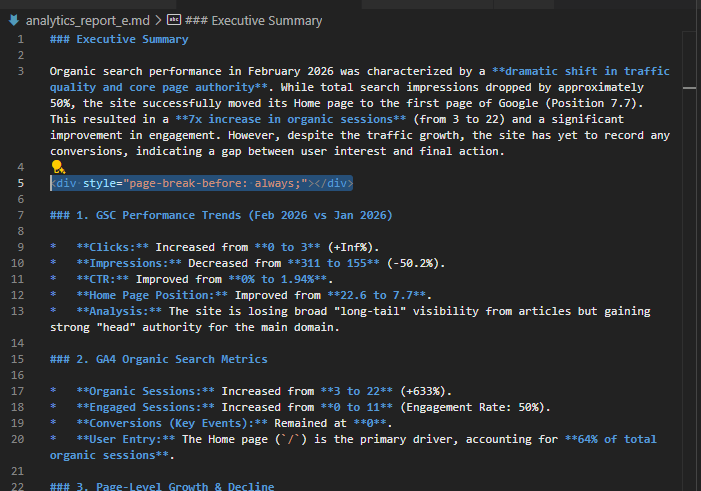
Insert Page Breaks
Insert this tag to force a page break.
<div style="page-break-before: always;"></div>
This keeps your sections organized. It is essential for separating the content.
Source Code:
 PDF
PDF
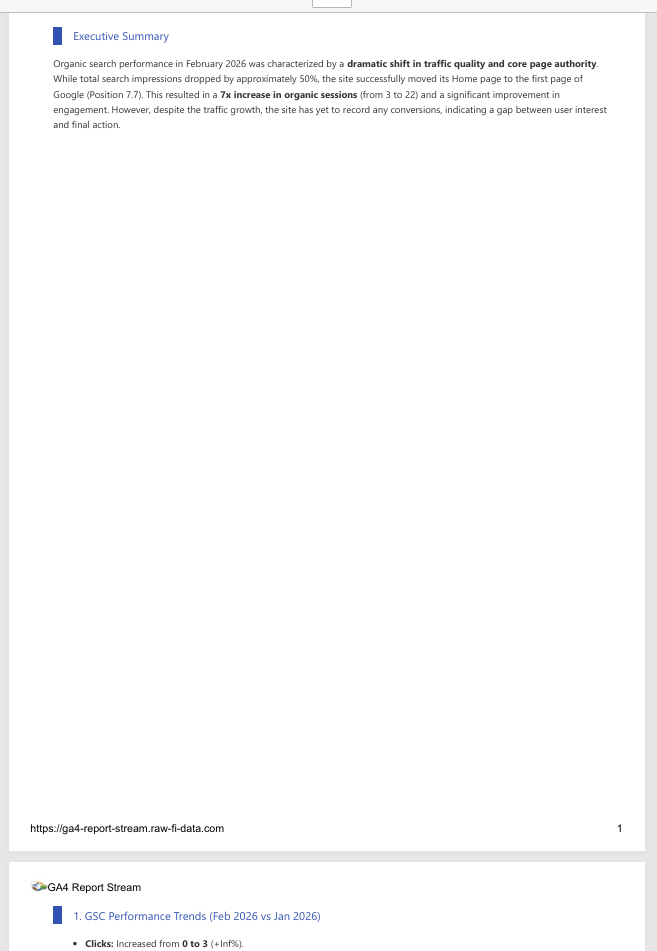
Create a Cover Page
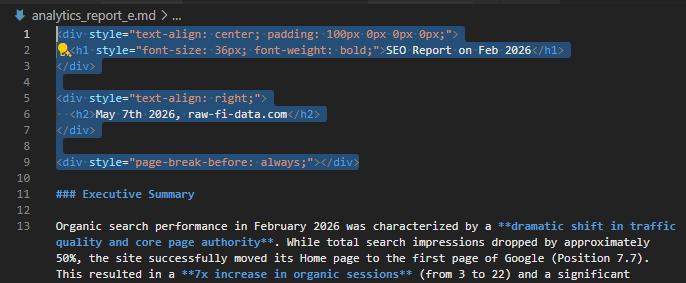
Insert HTML at the start. Center the title.
<div style="text-align: center; padding: 100px 0px 0px 0px;">
  <h1 style="font-size: 36px; font-weight: bold;">Report Title</h1>
</div>

<div style="text-align: right;">
  <h2>{date}, {author}</h2>
</div>

<div style="page-break-before: always;"></div>
Source Code:
 PDF
PDF
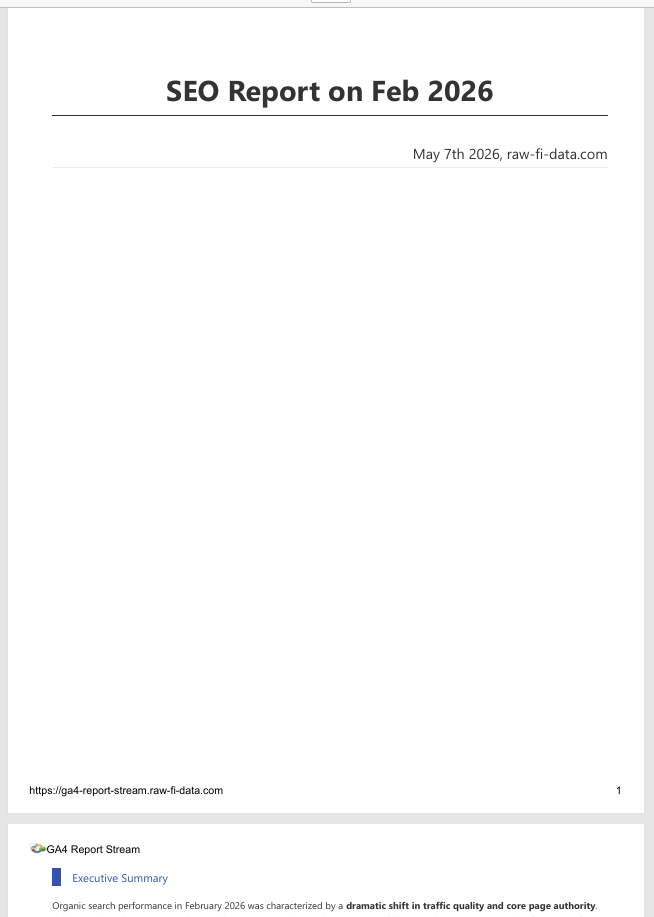
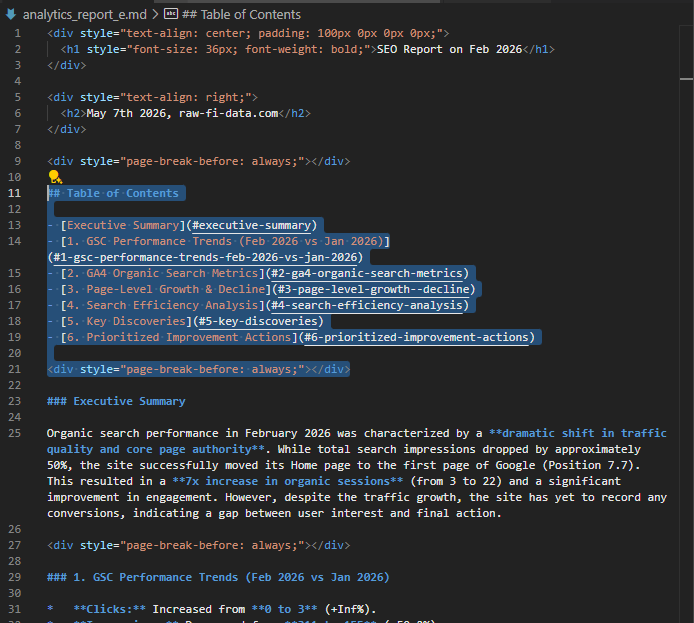
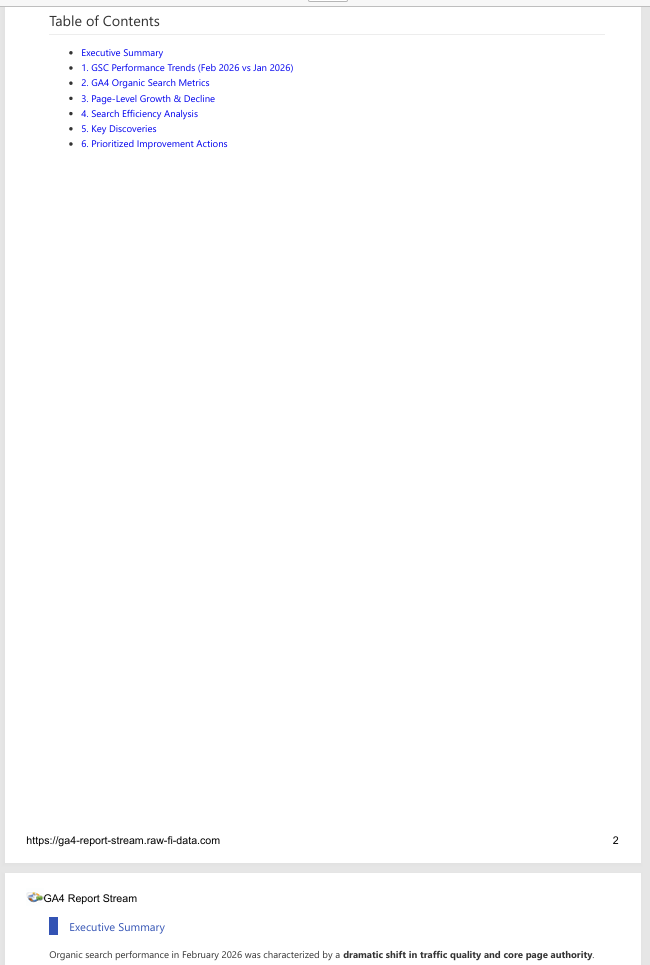
Create a Table of Contents
Add the content of table after a cover page (as below):
## Table of Contents

- [Executive Summary](#executive-summary)
- [1. GSC Performance Trends (Feb 2026 vs Jan 2026)](#1-gsc-performance-trends-feb-2026-vs-jan-2026)
- [2. GA4 Organic Search Metrics](#2-ga4-organic-search-metrics)
- [3. Page-Level Growth & Decline](#3-page-level-growth--decline)
- [4. Search Efficiency Analysis](#4-search-efficiency-analysis)
- [5. Key Discoveries](#5-key-discoveries)
- [6. Prioritized Improvement Actions](#6-prioritized-improvement-actions)

<div style="page-break-before: always;"></div>
This generates a list of headings.
Source Code:
 PDF
PDF
What are the Missing Points in Standard Markdown PDF?
VSCode extensions have some limitations. Managing styles becomes tedious over time. Adjusting CSS for every project takes effort. This overhead distracts you from writing. When tooling takes time, productivity drops. These delays add up during tight deadlines.
Markdown itself also has structural limits. Sophisticated designs require complex HTML. This clutter ruins the original simplicity.
Environment dependency is another issue. Your PDF might look different on other OS. Sharing configuration files adds even more work. If you are debugging layouts, you must rethink.
Professional reporting demands a reliable solution. Manual hacking is not sustainable for work. You need a tool that handles these details. Reliance on manual fixes can lead to inconsistent quality.
What is the Optimal Way to Generate Beautiful PDF Reports?
To solve configuration issues, use markdown-to-pdf. This tool creates reports with zero effort.
There is no need for complex CSS or setup. You simply write and drag the file. It handles all formatting for you instantly. This allows you to focus on your substance. That is where your true value as a writer lies.
Our tool comes with report-specific presets. You get beautiful typography and perfect margins. Every document will have a consistent, high-end look. By using a simple interface, you ensure perfection. The time you spent on CSS is now for analysis. Don't let technical hurdles slow your growth. Get the best results in the shortest time.
Experience the blend of simplicity and quality. Impress your audience with flawless documents today.
Summary: Master Professional Reports with Markdown
In this article, we explored Markdown for reports. A text-based workflow boosts your productivity.
It streamlines organization and simplifies version control. By adopting a structure, you eliminate stress. This allows you to focus on content quality. It is the most important part of any document. You can use extensions for custom styles.
However, for maximum speed, a specialized tool is best. markdown-to-pdf frees you from layout worries. You can pour passion into creating quality outputs. Establish an efficient workflow and stand out.
Markdown is a tool that will support your career. Start your new writing journey and see results. Your professional image will improve with every file. Choosing the right approach is the first step. Modern tools make tasks simple. Success starts with a commitment to high standards.
Please also check:
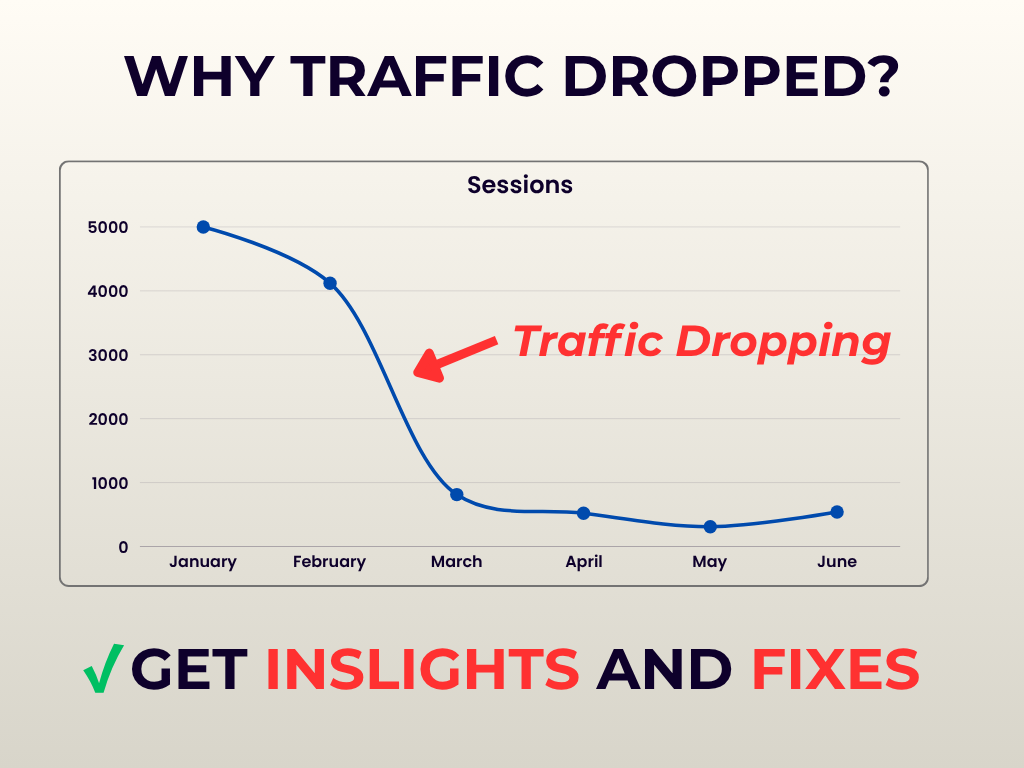
I will analyze your GA4 and GSC and provide actionable insights
Find why your traffic dropped and get exact fixes.
Fiverr →